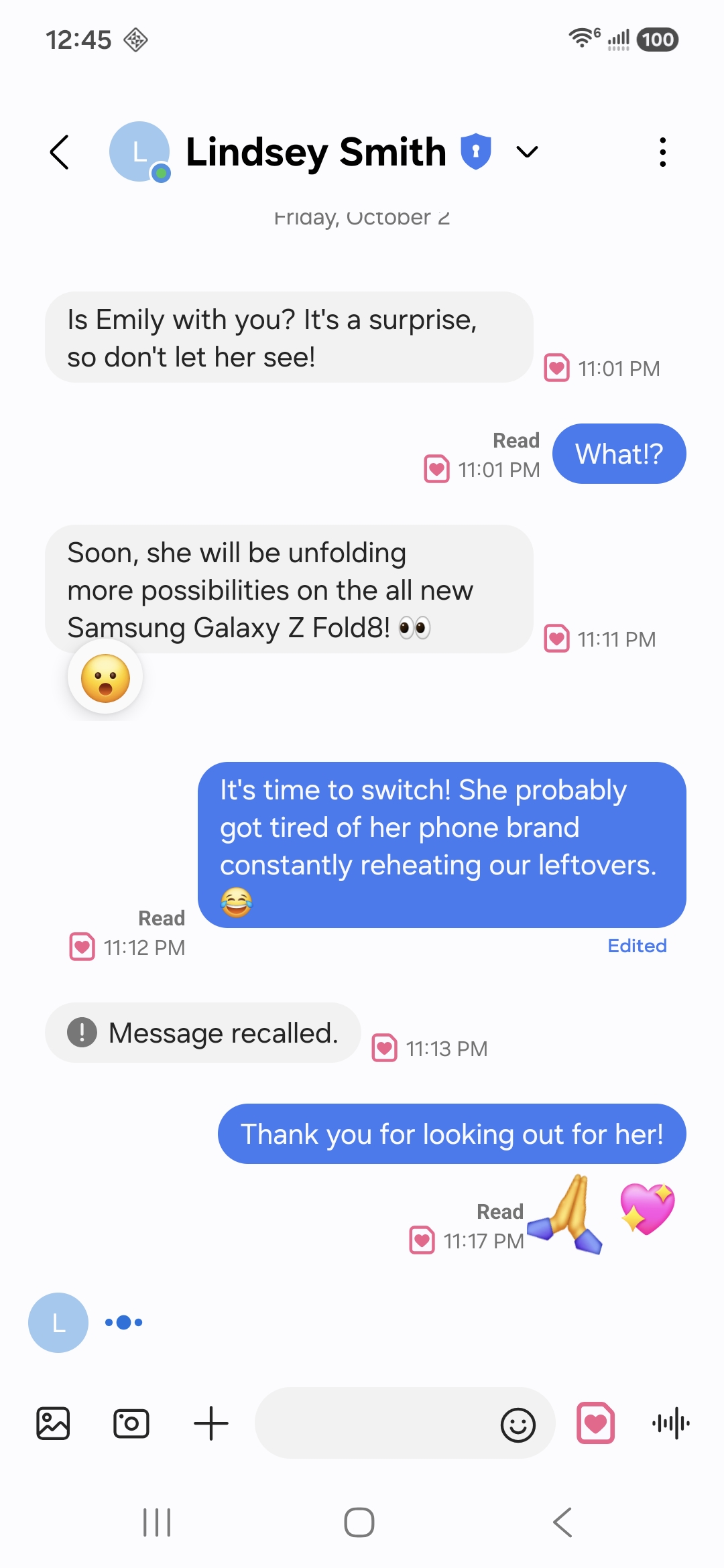
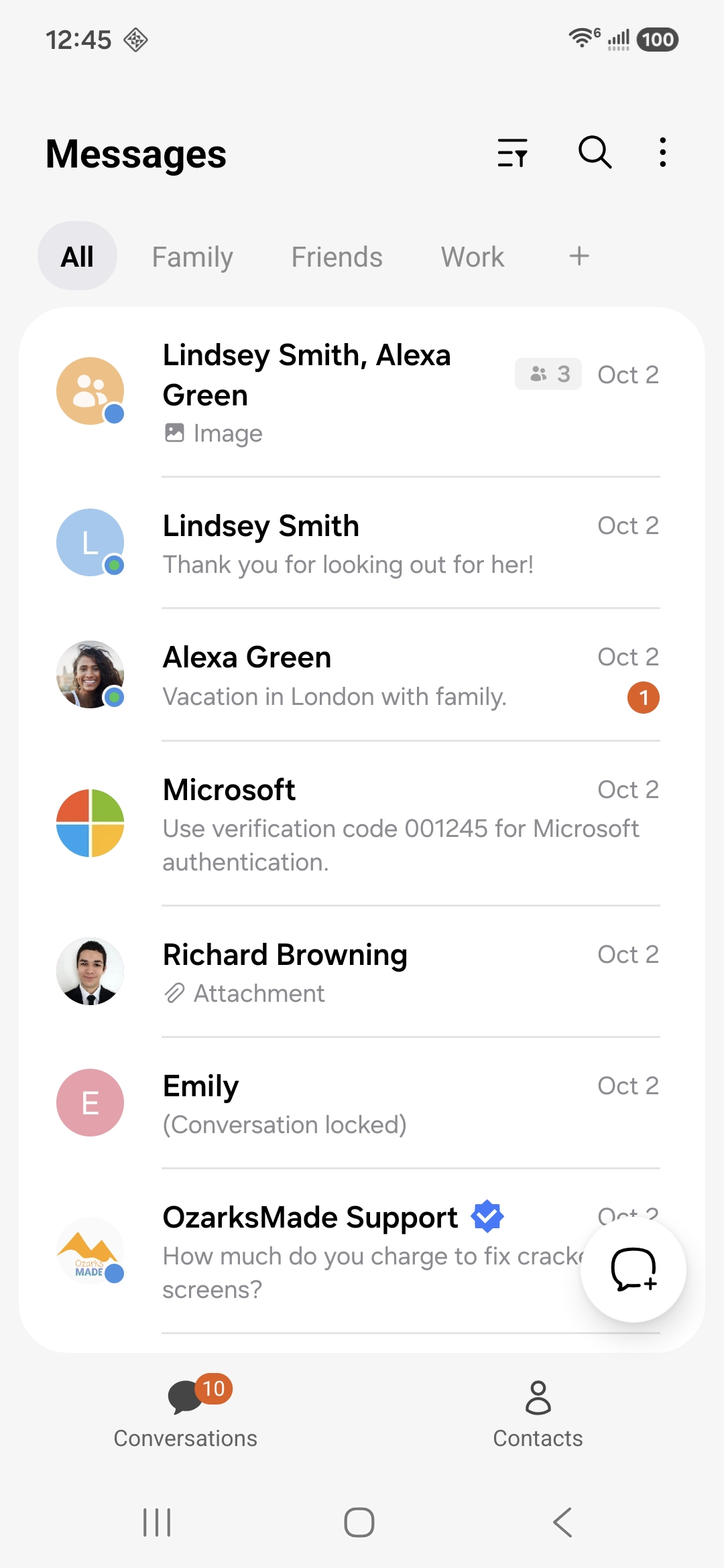
Samsung Messages was discontinued. Messages by OzarksMade keeps that design alive on the phone you already have, and now carries chat features over a network of our own.
On Google Play · Built for Samsung Galaxy · Updated regularly
Available now
The biggest update since launch
OzarksMade RCS is live for everyone. It arrived alongside the largest set of new features this app has shipped: conversations you can lock, replies that send themselves, notifications that show the photo, bubbles that float over any app, search that finds anything, birthdays and anniversaries, and a good deal more.
Nearly all of it came from your email. We read every message that reaches us, and this release is what that reading turned into.
Messages by OzarksMade is a one-time purchase of $0.99, and text and picture messaging is included at no further cost. Chat features and Sync with OzarksMade Cloud are free of charge through December 31, 2026. From January 1, 2027, chat features are $0.99 per month and Sync with OzarksMade Cloud is $4.99 per month. One chat features subscription covers two phone numbers, so a dual SIM device is charged once. There is no advertising in the application.
The part that needs you
Chat features need someone to chat with
OzarksMade RCS is our own network. Two people on it get the full conversation. Anyone else still receives your text and picture messages exactly as before.
Get your people on board
Read receipts, typing indicators, full-quality photos and video, real group chats and end-to-end encryption all need the person on the other end to be on OzarksMade RCS too. The fastest way to a better inbox is the people you message most. Start with three.
1
Pick your three
The people at the top of your conversation list. Partner, family, the group chat that never stops.
2
Send them the link
One tap below. They install it and make it their messaging app, and chat features come on by themselves in about a minute.
3
Watch it turn blue
Your conversation with them switches to chat on its own. Nothing to pair, nothing to configure.
OzarksMade RCS does not connect to Google Messages RCS. They are separate networks. A chat sent from Messages by OzarksMade reaches another person on OzarksMade RCS. Someone using Google Messages receives a text or picture message from you instead, which arrives normally and costs nothing extra. Nothing is lost, and nothing fails to deliver.
Interoperability is something we want. RCS is a published GSMA standard and our network is built to it, which is what makes interconnection possible in principle. We intend to pursue it. Nothing is agreed, nothing is scheduled and nothing is promised. Please choose the app on what it does today, not on what interconnection might one day add.
What's new
You asked. Here it is.
Every feature in this section arrived because someone wrote in and asked for it. They are all in the app today.
New
Search. Finally.
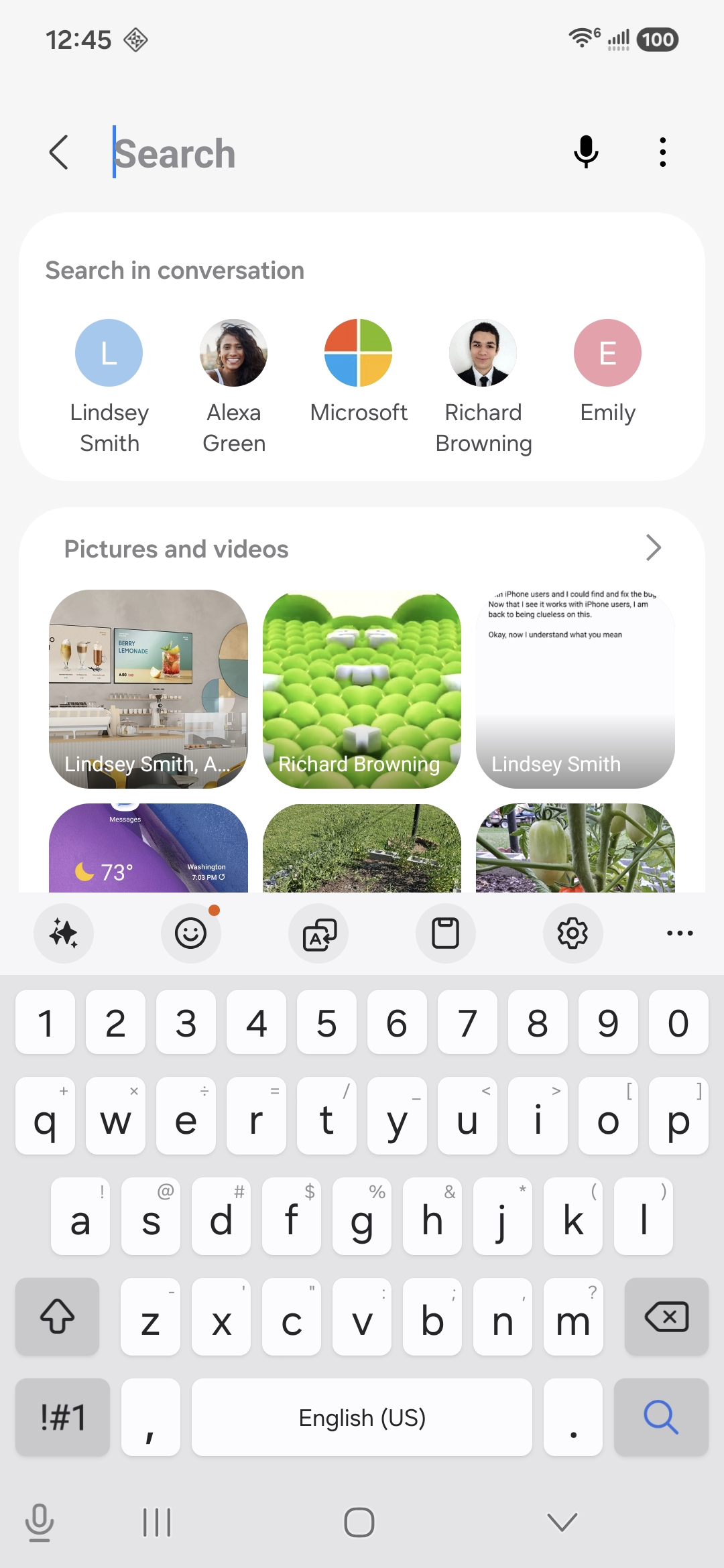
Find any message, contact, photo, video, file or link across every conversation you have. Results come back grouped into conversations, messages, pictures and videos, links and everything else, and you can narrow them to one person. Search inside a single conversation and jump straight to the message.
New
Lock a conversation
Some conversations are nobody else's business. Lock one and its content disappears from the list and from your notifications until your fingerprint or screen lock says otherwise. Works on contacts, groups and plain numbers.
New
Swipe actions
Swipe a conversation left or right and act on it without opening a menu. Choose up to four actions for each direction, drag them into the order you want, and delete with an undo that waits for you.
New
Bubble flair
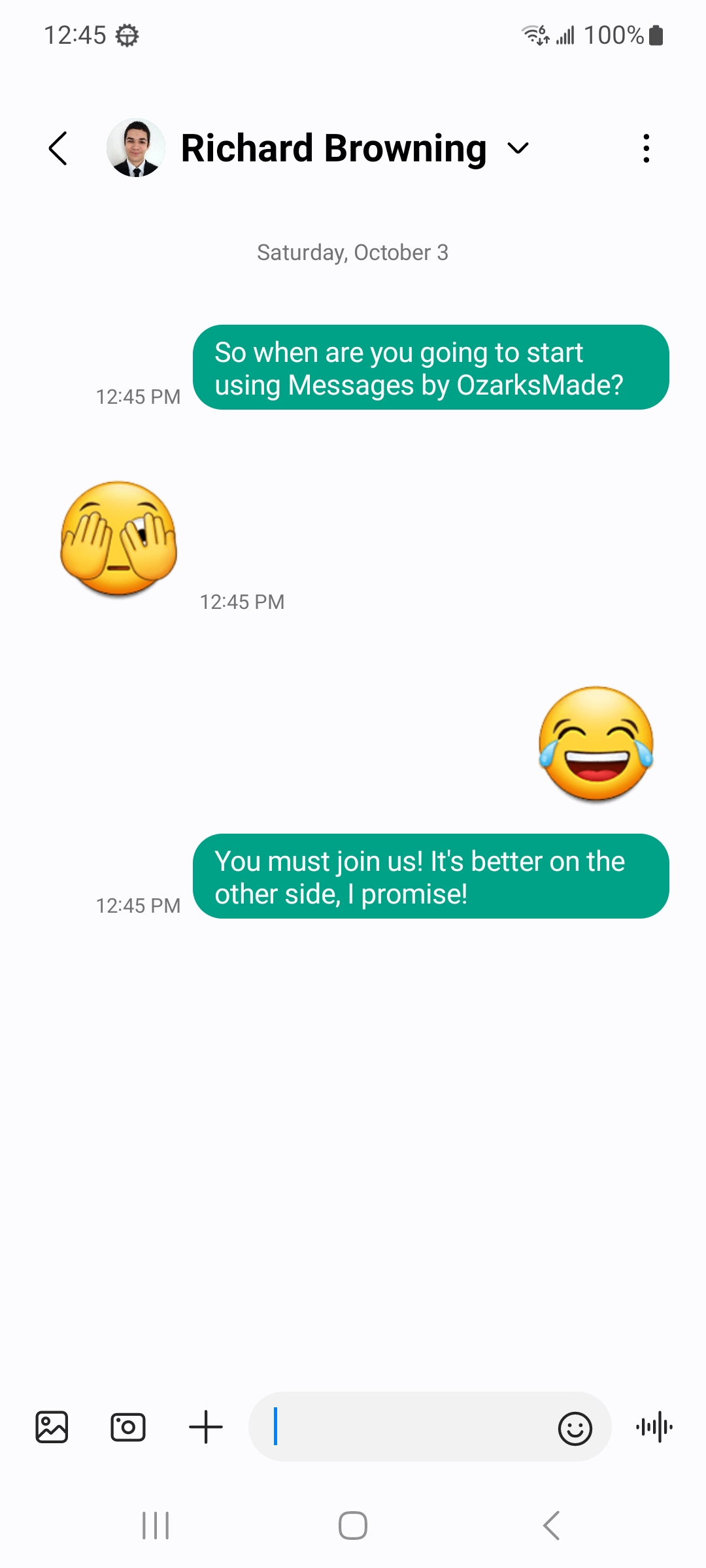
Say happy birthday and the bubble celebrates. Emoji rise around the message on both sides of the conversation, decided from the words themselves. It works over chat and over ordinary text messages, and nothing about your message leaves the phone to make it happen.
New
Birthdays and anniversaries
The app reads the dates already saved on your contacts and tells you, on the day, who is celebrating. Tap to open a conversation with a message ready to send. Nothing is uploaded, and it can be turned off in one tap.
New
Automatic replies
Driving, sleeping, in a meeting. Set a message to send itself while you are busy, choose who gets it, and set the hours it applies. Turn it on for a day or leave it on until you turn it off.
New
See the photo, not the file name
A picture message shows the picture on your notification. Chat photos do too, which even Samsung Messages never managed. Glance at the shade and you already know what arrived.
New
Bubbles that follow you
Keep a conversation floating over whatever you are doing. Tap the bubble to reply, drag it out of the way, and carry on. Android's own chat bubbles, wired up properly.
New
Do Not Disturb, respected properly
Allow messages from your contacts, your favourites, or one specific person, and the ones you allowed come through with sound. The rest stay quiet. Your phone's own rules, obeyed the way they were meant to be.
New
Presence
See when someone is in the app, and when they are in the conversation with you. You decide who can see yours, per conversation, and the service can only ever answer for the person asking.
New
Drag a message anywhere
Press and hold a bubble, feel it lift, and drag it. Into the composer, into a note, into another app on a foldable or in split screen. Text and photos both.
New
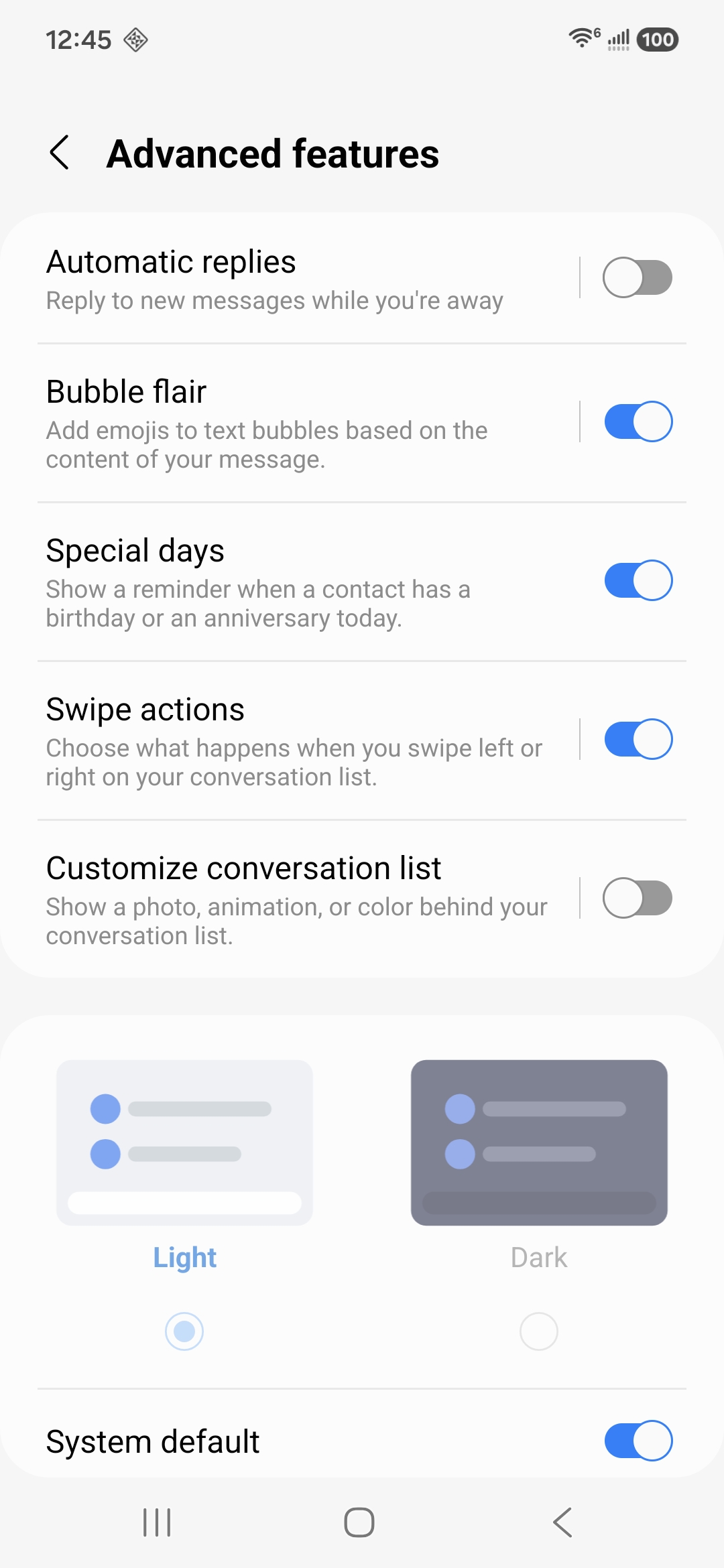
Light and dark, your call
Follow the phone, or pin the app to light or dark on its own. One switch in Advanced features, and the whole app changes without a restart.
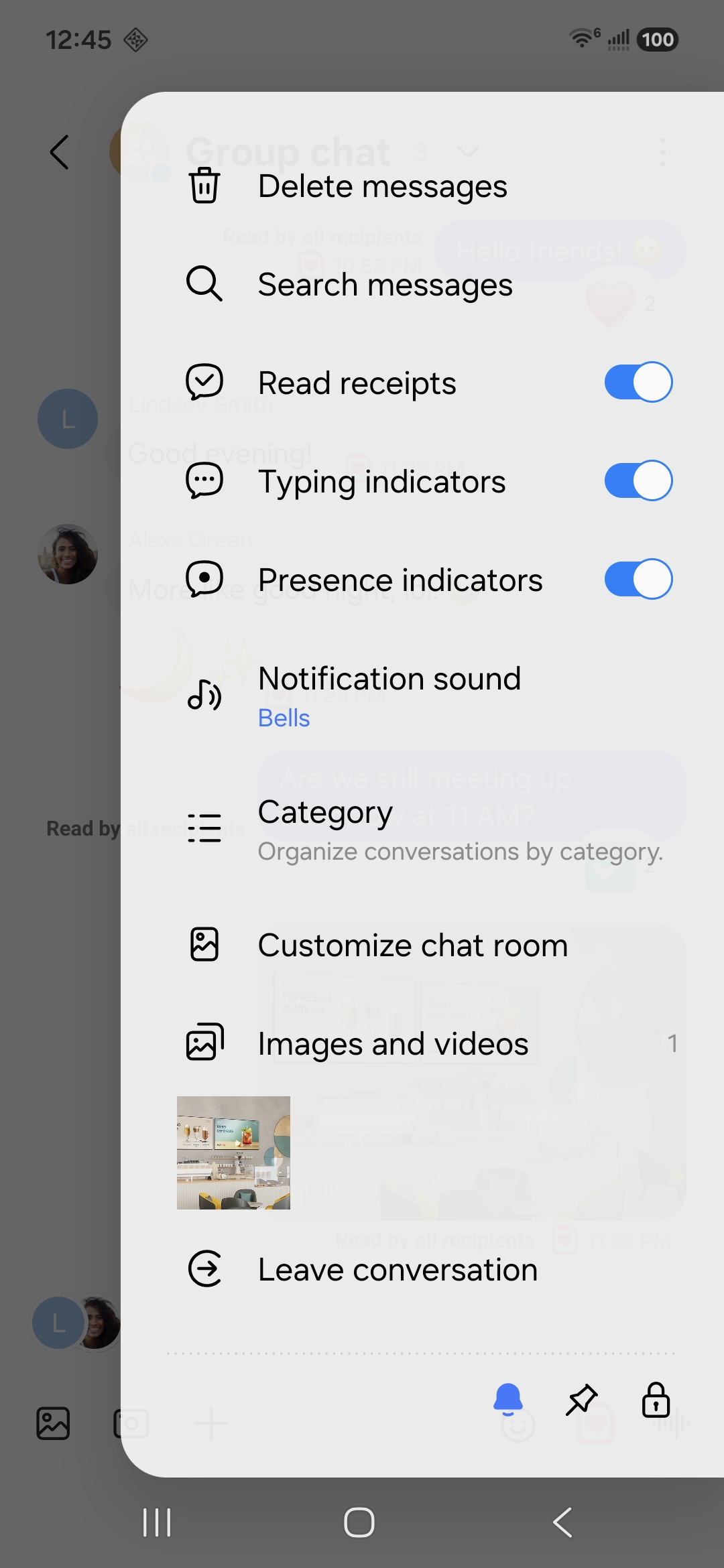
Search that finds photos and links, not just words · Everything a chat holds, in one panel · The switches behind all of it
Swipe a row for what you do most. Set the two actions once in Advanced features.
Why Messages by OzarksMade
The messaging experience Galaxy owners know, continued
Designed for Galaxy. Samsung Messages was discontinued on July 6, 2026. Workarounds exist on some older devices, but they are not a long-term answer. Messages by OzarksMade continues the messaging experience Galaxy owners know, with a familiar One UI design, active development and new features in every update.
Built around One UI. You chose a Galaxy for the way it works. Messages by OzarksMade follows that philosophy with a clean, familiar interface, and adds capabilities that go beyond what came before. The goal is not to reinvent messaging. It is to carry forward an experience millions already know.
Built from what you tell us. Every email that reaches messages@ozarksmade.net is read and answered. Lock a conversation, swipe to act, see the photo on the notification, reply automatically, be reminded of a birthday: each of those is in this release because somebody asked.
? Two ways to use Messages
Text and picture messaging is included with the application and always available. Chat features add the modern conversation experience: delivery and read notification, typing indicators, full-quality photos and video, group chats and end-to-end encryption. Chat features are carried over OzarksMade RCS, our own network, rather than another provider's.
? Does this work with Google Messages RCS
No. OzarksMade RCS and Google Messages RCS are separate networks, and a chat on one does not appear on the other. When the person you are messaging is not on OzarksMade RCS, your message goes as a text or picture message and arrives normally. Interconnection between RCS networks is defined by the GSMA and is something we intend to pursue, but nothing is agreed or scheduled, so please do not buy on the strength of it. For the full conversation experience today, the people you message need the app too.
? What happened to Companion Mode
Companion Mode used Google Messages as the RCS engine on the device. Google changed the requirements for pairing in a way we are not prepared to meet on behalf of our users, so the mode has been retired, and everyone is on OzarksMade RCS now. No action was required and nothing was deleted. The background is set out in our service notice.
? Galaxy RCS has always been delivered over someone else's network
Samsung Messages did not operate its own RCS network. For roughly seven years, chat features on Galaxy devices were delivered over Google's Jibe infrastructure, which means every RCS message sent from Samsung Messages already travelled through Google's servers. OzarksMade RCS changes that: the network is ours, operated on our own infrastructure, and it answers to no other provider's pairing rules.
? Nothing new to install
OzarksMade RCS is part of Messages by OzarksMade. There is no second application to download, no separate inbox and no pairing step. Your number is verified in the background, and chat features begin working in the conversations you already have.
? What changes for you
Your text and picture messages are unaffected and continue exactly as they are. Chat features now run on our network, which brings end-to-end encryption, synchronization across your devices and capabilities Companion Mode could never offer. Chat features and Sync with OzarksMade Cloud are free of charge through December 31, 2026.
How it works
Two ways to send. One inbox.
Chat features run on OzarksMade RCS. Everything else runs on the mobile network, the way it always has. The app decides which to use, message by message, and tells you which one it used.
Live · Full chat
OzarksMade RCS
Rich Communication Services over our own infrastructure, built on the published GSMA and IETF specifications. Chat conversations, delivery and read notification, typing indicators, full-quality photos and video, group chats, and end-to-end encryption. No pairing, no second app, no dependency on another provider. Free through December 31, 2026.
Included · No subscription
Text and picture messaging
Messages by OzarksMade runs entirely on its own for SMS and MMS, including texts, group messages and photos, with the same familiar design and no setup. Included with the application and never charged separately. This is what reaches everyone who is not on OzarksMade RCS.
Retired
Companion Mode
Companion Mode used Google Messages as the RCS engine while Messages by OzarksMade provided the One UI experience. Google changed the requirements for pairing in a way we are not prepared to meet on behalf of our users, so the mode has been withdrawn and everyone is on OzarksMade RCS now. No action was required: the application kept sending and receiving text and picture messages throughout, and your history stayed on your phone. The background to the decision is set out in our service notice.
What's inside
Familiar on the surface, better underneath
The Samsung Messages experience rebuilt feature by feature, plus everything we have added since. All of it is in the application today.
Genuine One UI design
Rounded cards, the collapsing title, chip filters and bubble styling, modeled on the Samsung Messages you remember and measured against it.
Full chat features
Read receipts, typing indicators, reactions, editing, recall, and full-quality photo and video sharing over OzarksMade RCS.
End-to-end encryption
One-to-one chats and group chats are encrypted between the people in them, using the MLS mechanism the RCS standard defines. Nobody in the middle can read them, including us.
Groups and mass text
Real group conversations with a participant list, a name and a photo, plus mass texting when you need to reach everyone one to one.
More than one screen
Continuity links a tablet or a second phone to your number, and Sync with OzarksMade Cloud keeps your messages and settings the same on all of them. A new phone restores the conversations from the old one.
Business chatbots
Verified businesses are presented with their registered name, logo and brand colour, and a verified mark you can check before you trust the message.
Trash and recovery
A One UI-style Trash keeps deleted messages for 30 days, so a message deleted by mistake is still there. With Sync with OzarksMade Cloud on, your Trash follows you to a new phone.
Scheduled messages
Write it now, send it later. Pick a date and time, edit it while it waits, or save it as a draft. Photos, video, GIFs and voice recordings can all be scheduled.
Conversation categories
Sort conversations into your own categories and filter the list from the chips at the top, the way One UI does.
Customize any chat room
Give a conversation its own background, a colour you pick or a wallpaper of your own. Set for each chat room, so the ones that matter are recognizable the moment you open them.
Starred and pinned
Star the messages that matter and find them in one place. Pin the conversations you open most to the top of the list.
Voice messages
Press and hold to record, release to review, then send. Received voice messages play inside the bubble.
Reply, react, forward
Swipe a bubble to reply to it. Long press to react, forward, star, copy part of it, or see exactly when it was delivered and read.
Dual SIM, handled properly
Two lines, two sets of colours and icons taken from the system, separate notification channels, and a clear mark on every message showing which line it used.
Quick responses
Keep the replies you send most often one tap away, and edit the list to suit the way you message.
Blocking that stays in place
Block a number or a whole group, block the phrases you never want to see again, and read what was blocked from a proper One UI settings screen.
Built for foldables
Open a Fold and the list moves left with the conversation on the right, separated by a divider you can drag. Close it and the single-pane layout returns.
Follows your colour palette
Set a One UI Color palette and the app takes it: bubbles, toolbar and the icon on your home screen, which follows your themed icon style with everything else. It picks up your system font too. Light and dark are both first class.
Photos, video and files
Send photos, video, GIFs, voice clips, contacts, your location and calendar events. Every conversation keeps a gallery of what you have shared.
Notifications, your way
A sound of your choosing for any conversation, mute the ones you choose, and notifications grouped by conversation instead of one per sender.
Every screen you own
It opens where you do
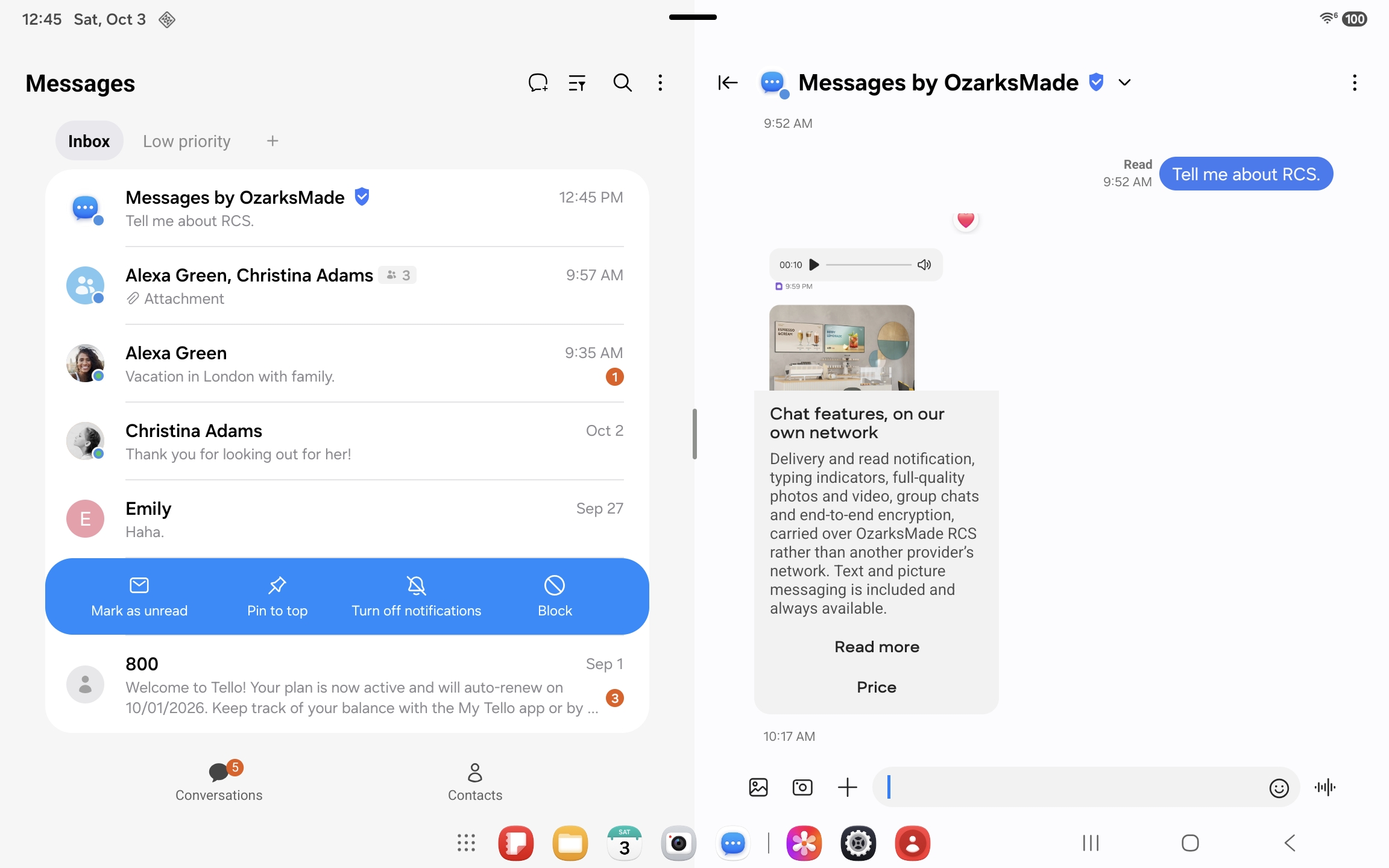
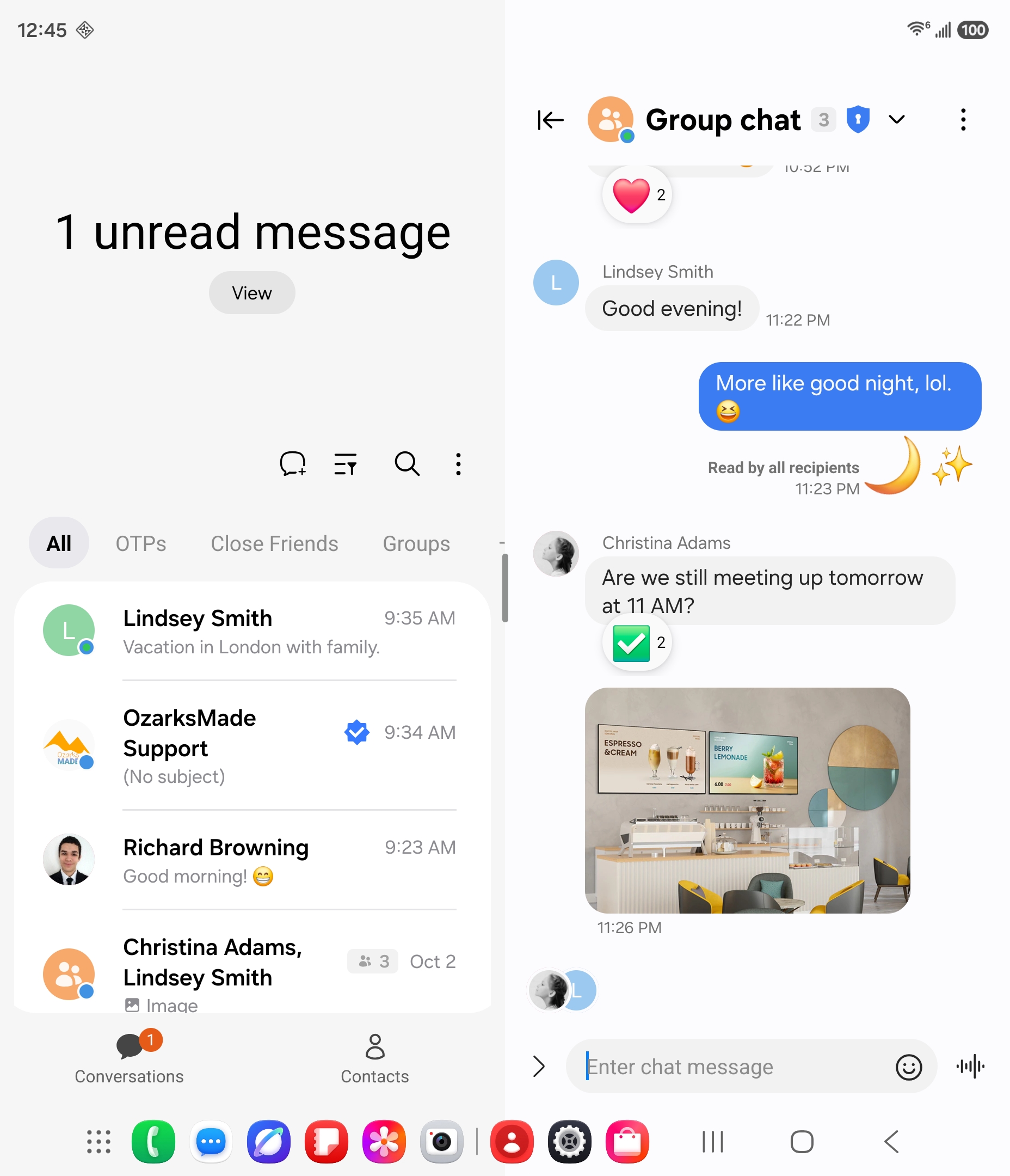
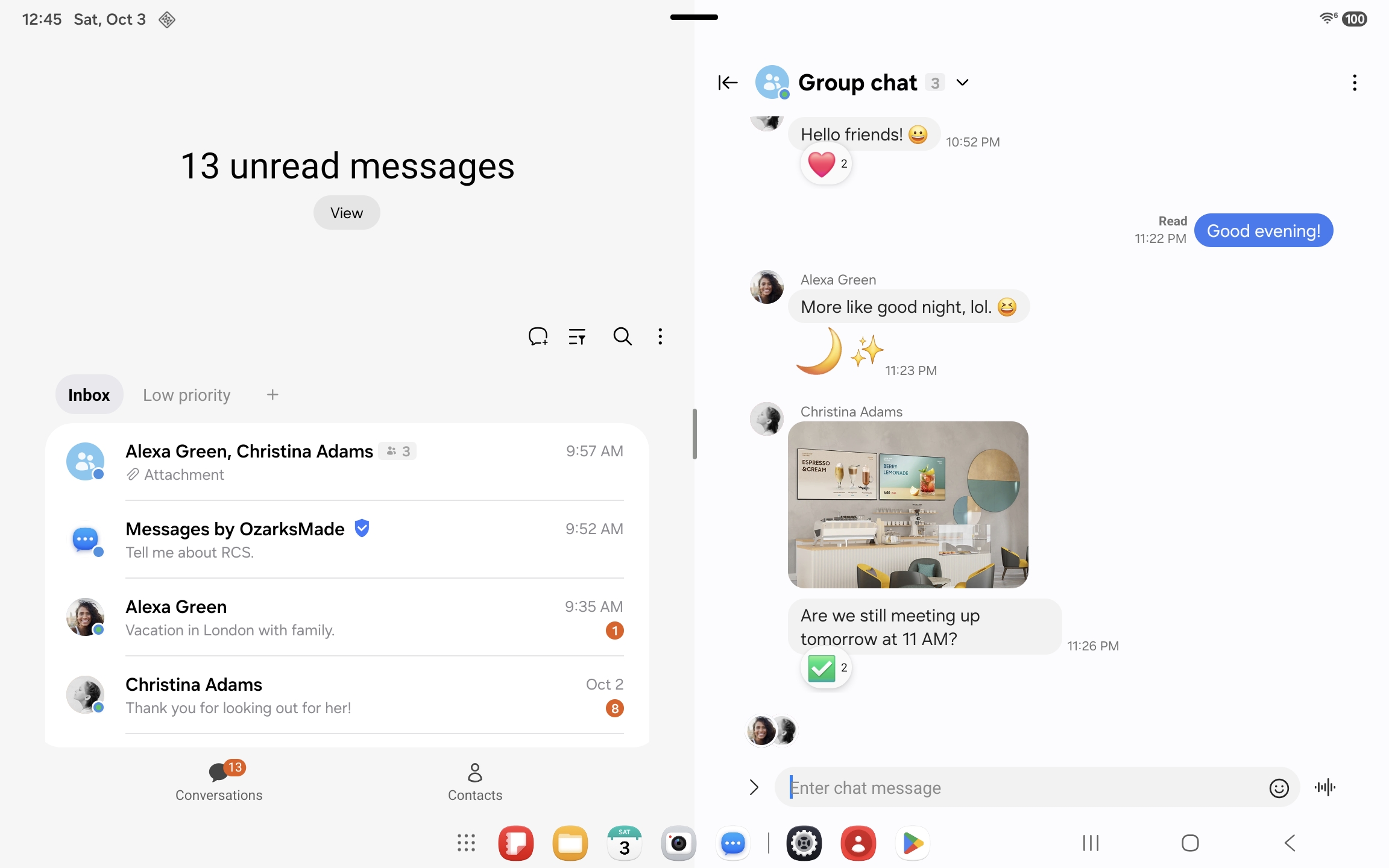
The same inbox, laid out for whatever you happen to be holding. A phone in one hand, a tablet on the table, a foldable opened to both at once.
Galaxy Z Fold6, opened. Your conversations on the left, the one you are in on the right.
A tablet is not a stretched phone
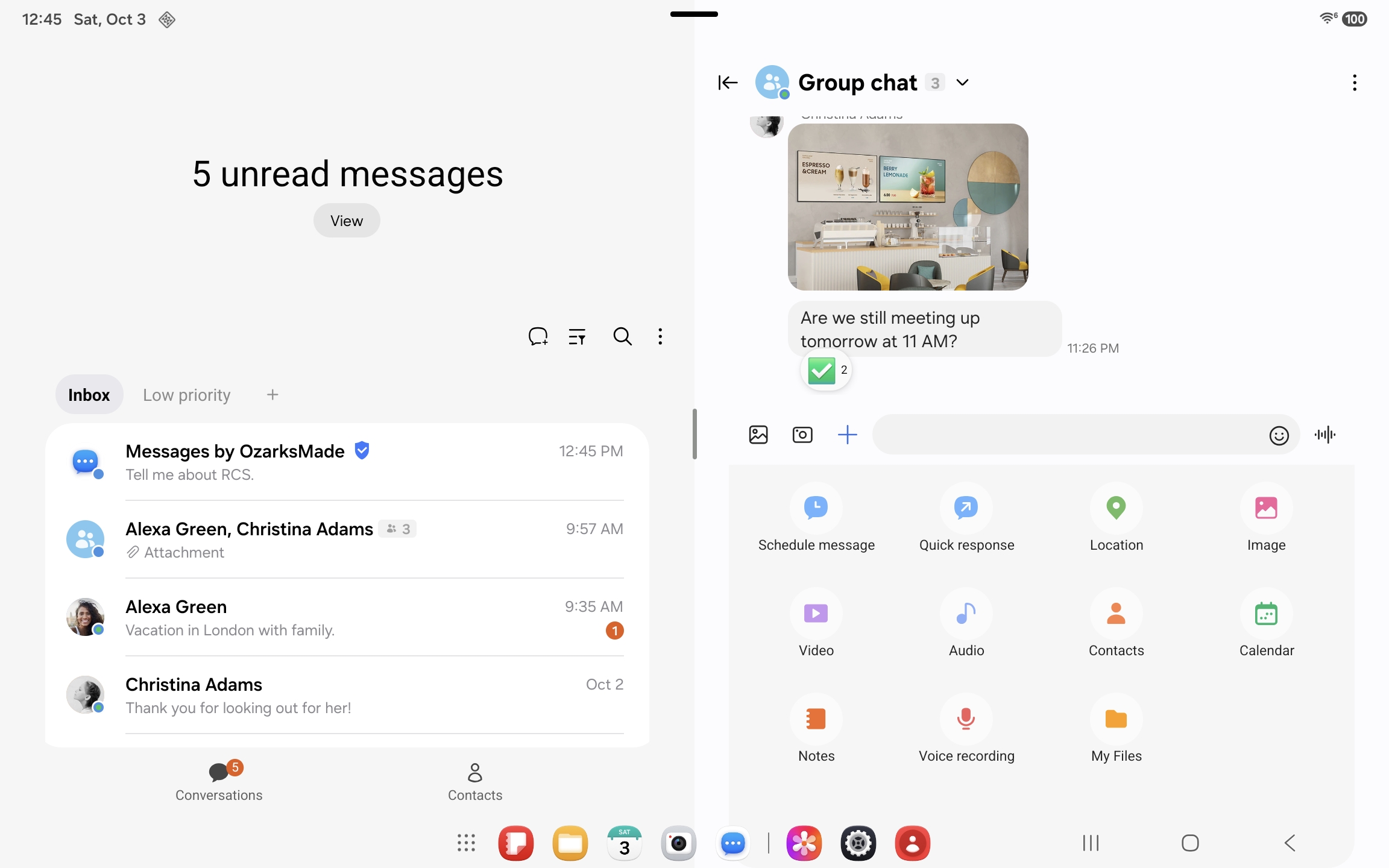
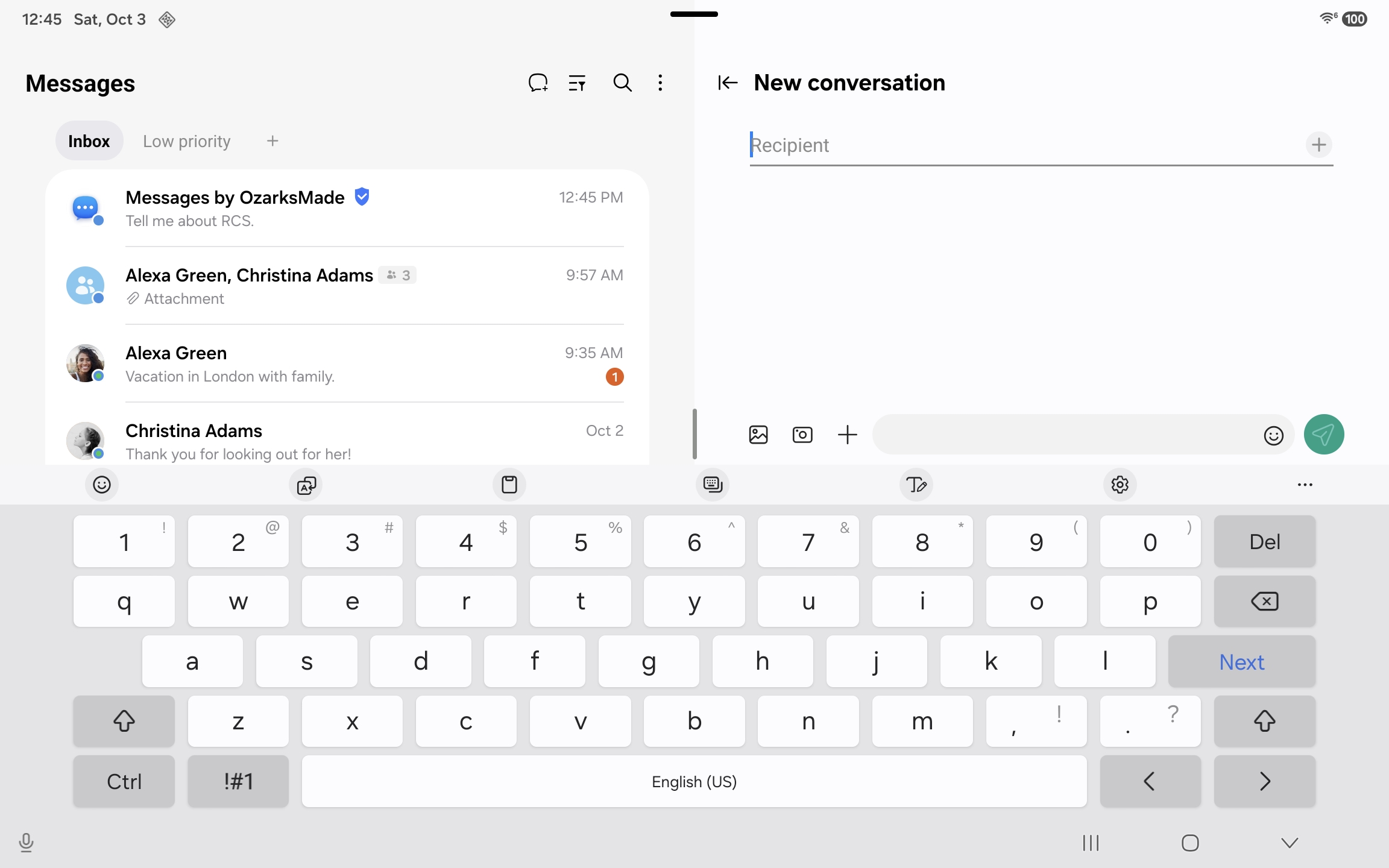
On a larger screen the list stays put and conversations open beside it, so you are not thrown back to the inbox every time you finish a reply. Pick up a thread, answer it, move to the next one without losing your place.
Everything you can send · Starting a new conversation. Every part of the app follows the larger layout, not just the inbox.
One number, two devices
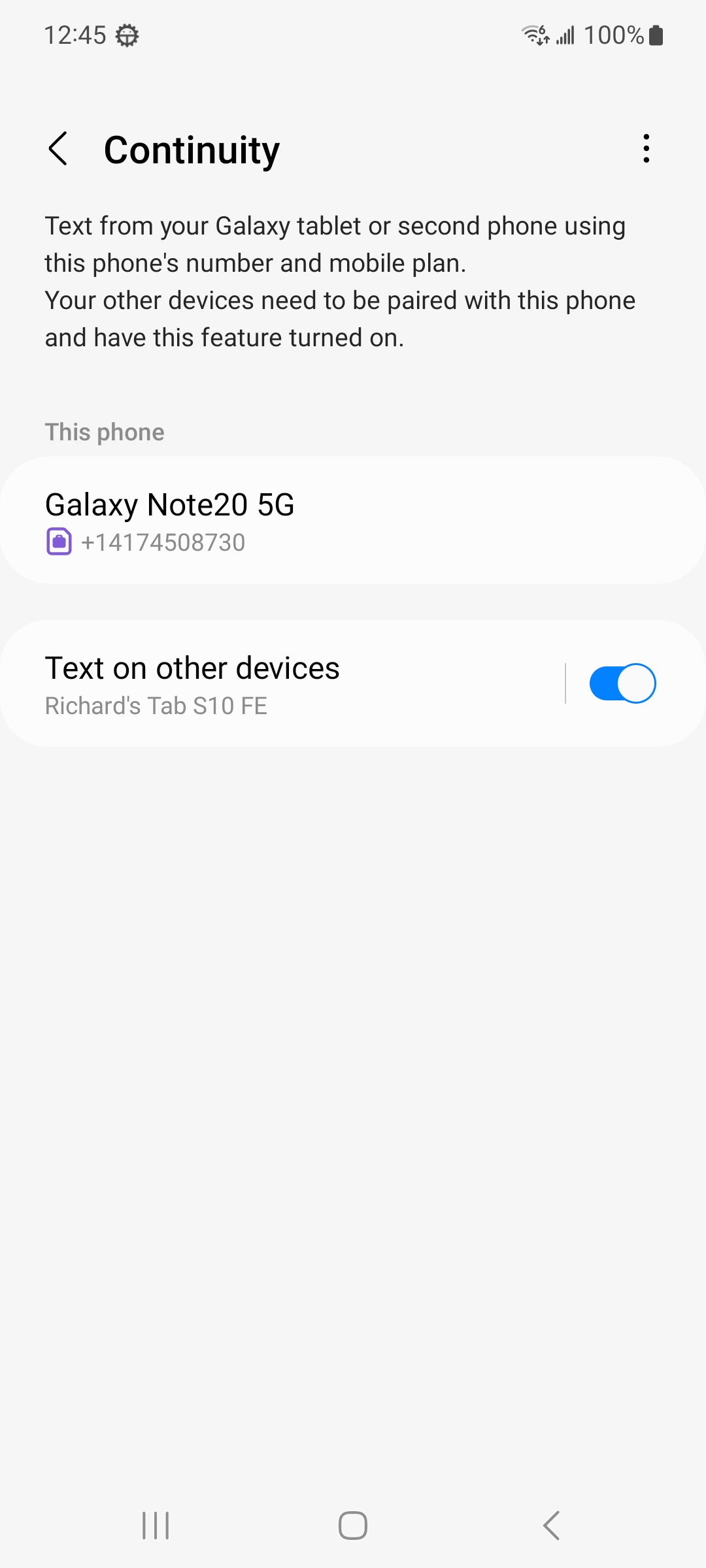
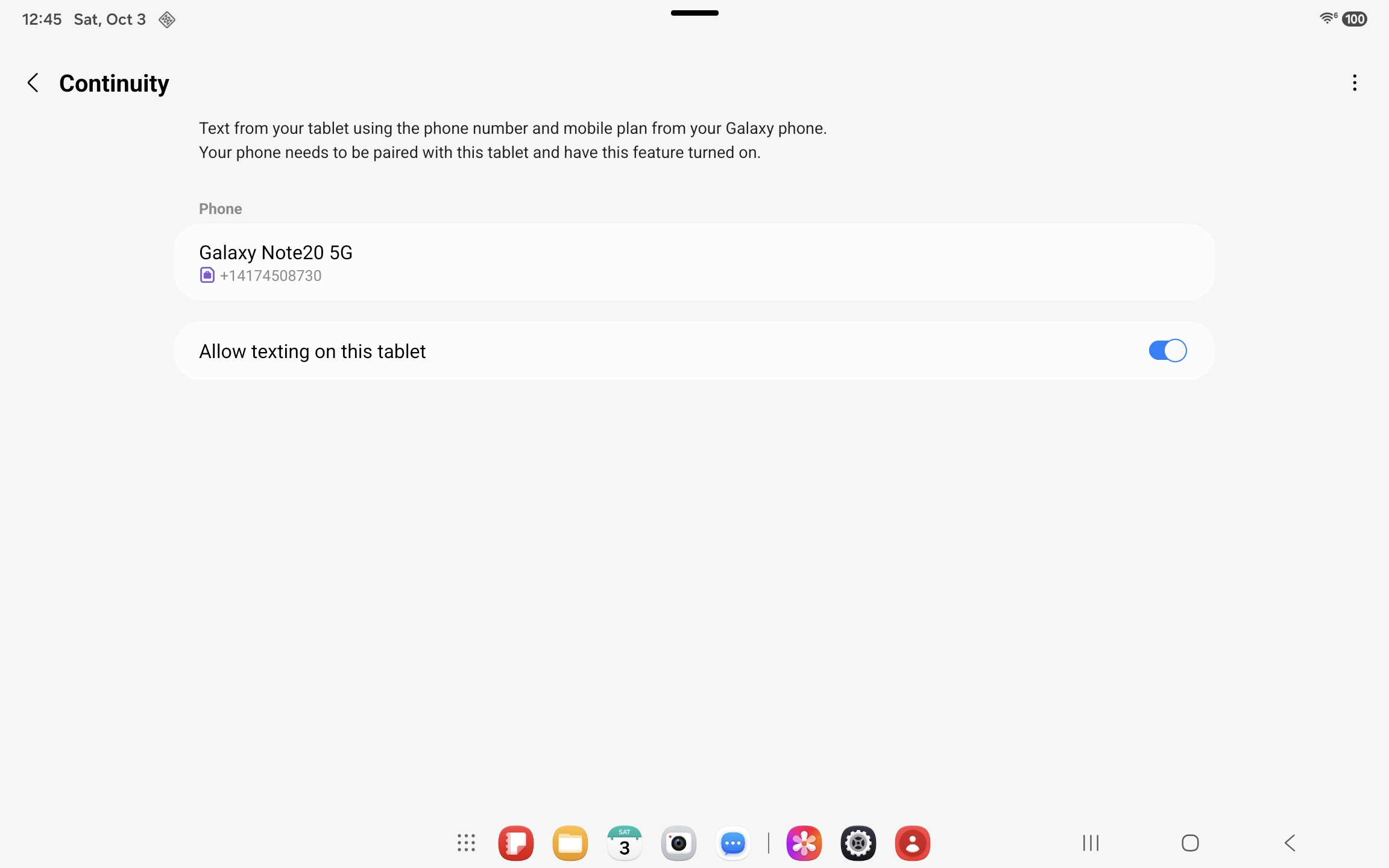
Continuity lends your phone's number to a tablet. The tablet sends and receives as you, your conversations arrive on both, and there is no second number for anyone to learn.
It is a setting on each device and nothing more. No account on a third-party service, no cable, no browser tab left open.
The same pairing from the tablet's side, sending and receiving on the phone's number.
What's next
Still being built
Messages by OzarksMade is updated continuously. These are in active development. Dates are not confirmed.
Galaxy Watch. On your wrist
Read and reply without reaching for your phone. The groundwork is complete and the watch experience is in development.
Android Auto. Built and waiting
Android Auto support is finished and switched off. Declaring it sends every release into Google Play's manual review queue, which turns an hour into more than two days. While updates ship this fast, Auto stays off. It comes back when the release schedule settles.
More motion. More polish
One UI animations, reproduced one at a time and measured against the original. The chat room gets smoother with every update.
Spam filtering. Before it arrives
Blocking numbers and phrases works today. Automatic filtering of suspicious messages is in development.
More devices. Same experience
Messages by OzarksMade is developed and tested on Galaxy devices. Wider support for other Android phones is planned.
Reaching other networks
RCS is a published GSMA standard, and interconnection between networks is part of it. We intend to pursue it so that a chat can cross from OzarksMade RCS to another operator. Nothing is agreed and nothing is scheduled.
By design
Designed this way on purpose
Two deliberate decisions shape how Messages by OzarksMade looks and how it protects you.
One UI. Your Galaxy, your way
On a Galaxy device, Messages by OzarksMade adopts your setup. Your One UI Color palette defines the bubble colours and the toolbar, and the app icon follows your themed icon style along with the rest of your home screen. Text follows your system font. Galaxy Themes restyle Samsung's own system apps and do not change the appearance inside Messages by OzarksMade.
On other Android devices, Material You theming and third-party fonts are blocked by design, and the genuine One UI appearance and typeface are applied instead. Messages by OzarksMade is built to deliver one experience, consistently, on every device it runs on.
Verified devices. Genuine installations
At startup, Messages by OzarksMade verifies that it is running on an unmodified device and that the installation is a genuine copy from Google Play. Devices that are rooted, running a custom ROM, or modified with tools such as Frida or Xposed do not pass verification. Neither do repackaged, resigned, sideloaded or unlicensed builds.
When verification fails, Messages by OzarksMade switches to read-only. Your conversations remain available to open and read, and nothing is deleted. The composer is disabled and sending is unavailable for text messages and chat features.
Chat features carry your conversations and the credentials that identify your number on the OzarksMade RCS network. On a modified device, those credentials can be intercepted or redirected without your knowledge. Verification keeps them on devices where they can be trusted, and protects the integrity of the application and OzarksMade licensing.
Devices running an unmodified version of Android, with Messages by OzarksMade installed from Google Play, are unaffected.
Get the app
Download Messages by OzarksMade
On Google Play as a one-time purchase of $0.99. Text and picture messaging is included, with no advertising and no account required.
The application is a one-time purchase of $0.99, and that purchase includes text and picture messaging permanently. Two services are provided by subscription because they run on our infrastructure: chat features at $0.99 per month, and Sync with OzarksMade Cloud at $4.99 per month. Both are free of charge through December 31, 2026, and no charge applies without notice beforehand. One chat features subscription covers two phone numbers, so a device with two SIM cards is charged once. There is no advertising in the application.
Reporting an issue
Updates are released frequently, and most reported issues are resolved in the following update. If something is not working as expected, please contact us before uninstalling the application or leaving a review. A screenshot or a short screen recording is the most useful information you can provide, and an issue accompanied by one is usually identified the same day. Email messages@ozarksmade.net, or select Contact us in the application, which includes your device and application details automatically.
Messages by OzarksMade is a paid application, $0.99 per download in the Google Play Store. It is designed primarily for Samsung Galaxy devices and is updated frequently as development continues. Contact messages@ozarksmade.net for more information.
Setup
Up and running in a few taps
Install the app and make it your messaging app. Chat features come on by themselves. That is the whole setup.
1
Open the app and grant the permissions
On first launch, Messages by OzarksMade walks you through the permissions it needs so your texts land here.
2
Chat features turn on by themselves
Once Messages by OzarksMade is your messaging app, chat features start automatically. Your number is verified in the background and registered on OzarksMade RCS. If you want text and picture messaging only, turn chat features off in Settings.
3
Bring your people
Verification finishes on its own, with no pairing step and no second app. Conversations with other OzarksMade RCS users get delivery and read notification, typing indicators, full-quality media and end-to-end encryption. Everyone else receives text and picture messages exactly as before, so send the app to the three people you message most.
And that is the whole of it
There is no chat-features step to complete. Once Messages by OzarksMade is your messaging app, chat features switch themselves on in about a minute, and your conversations start turning blue as the people you message join.
Nothing to pair. No second application running in the background. No account to create.
Tell us what to build next.
Most of what shipped in this release started as an email from someone using the app. Send yours.
Message volume is high right now, so a reply may take a few hours. Every email is answered within one week, in the order it arrived. Nothing is overlooked, and feature requests are noted.
Reporting a bug? This helps us fix it faster
The more detail you include, the sooner we can reproduce and resolve the issue. When you email us, please add:
Screenshots and/or a short screen recording of the problem
Step‑by‑step instructions to make it happen
Your exact device model and Android / One UI version
Feel free to blur any personal or sensitive information first.